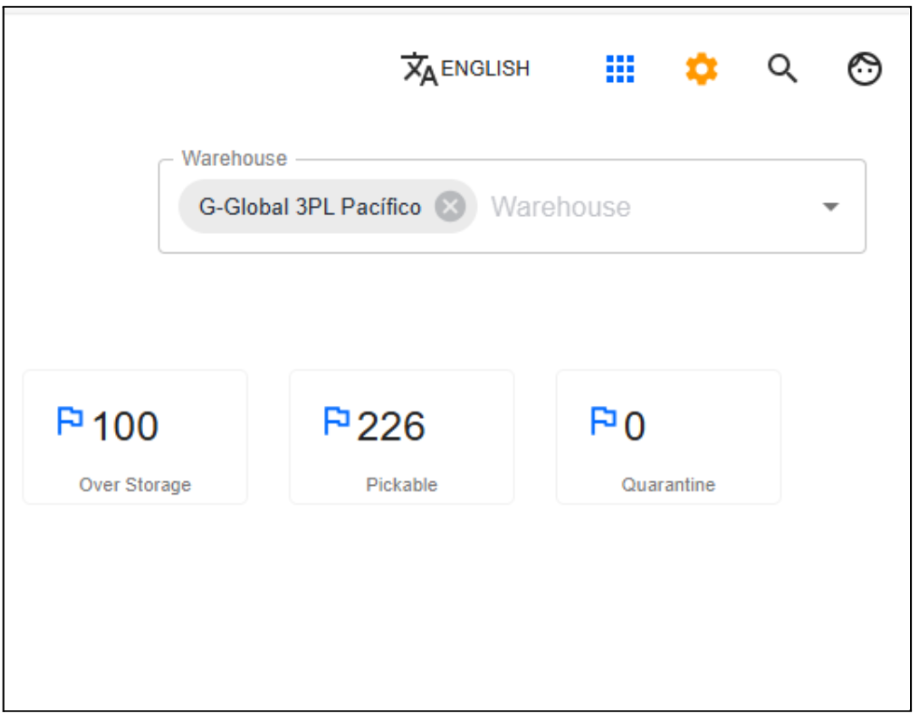
Stock
This module displays inventory stock information for items belonging to customers. Here you can view package locations by storage position, available item quantities, orders related to picked items, and other relevant data.
Check available inventory in internal
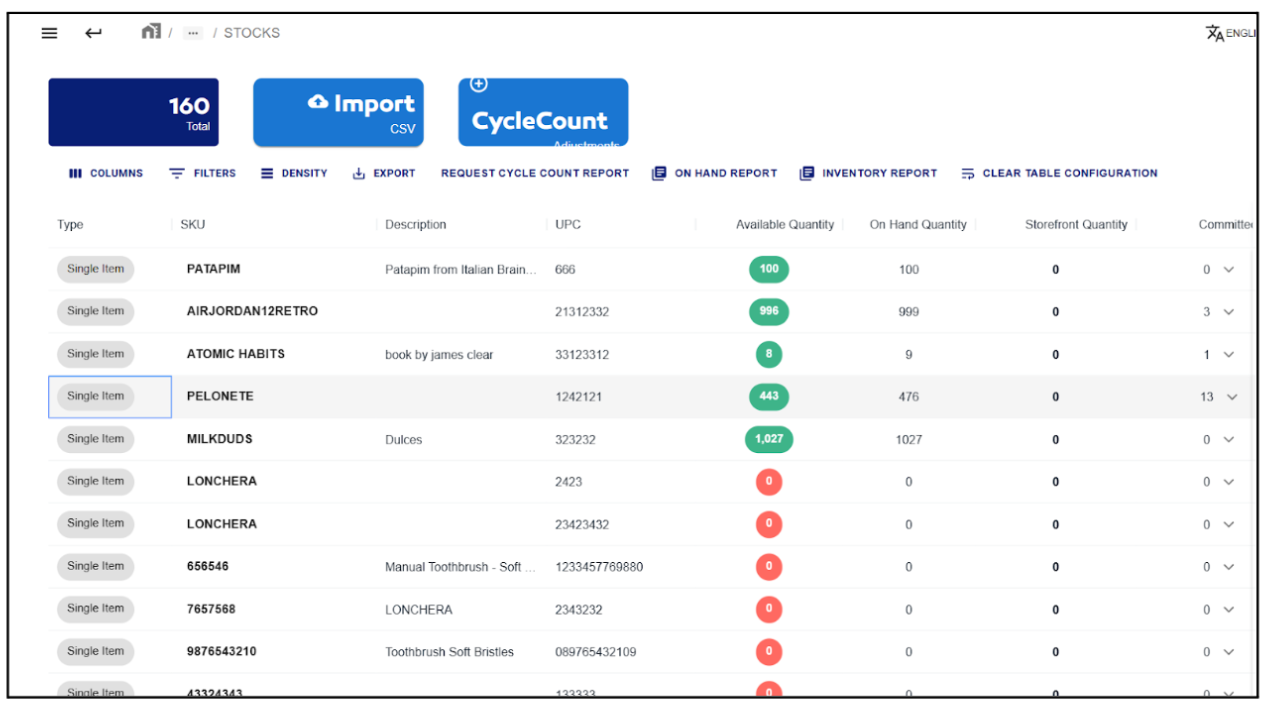
- When accessing this module, a table displays all customer products in WMS.
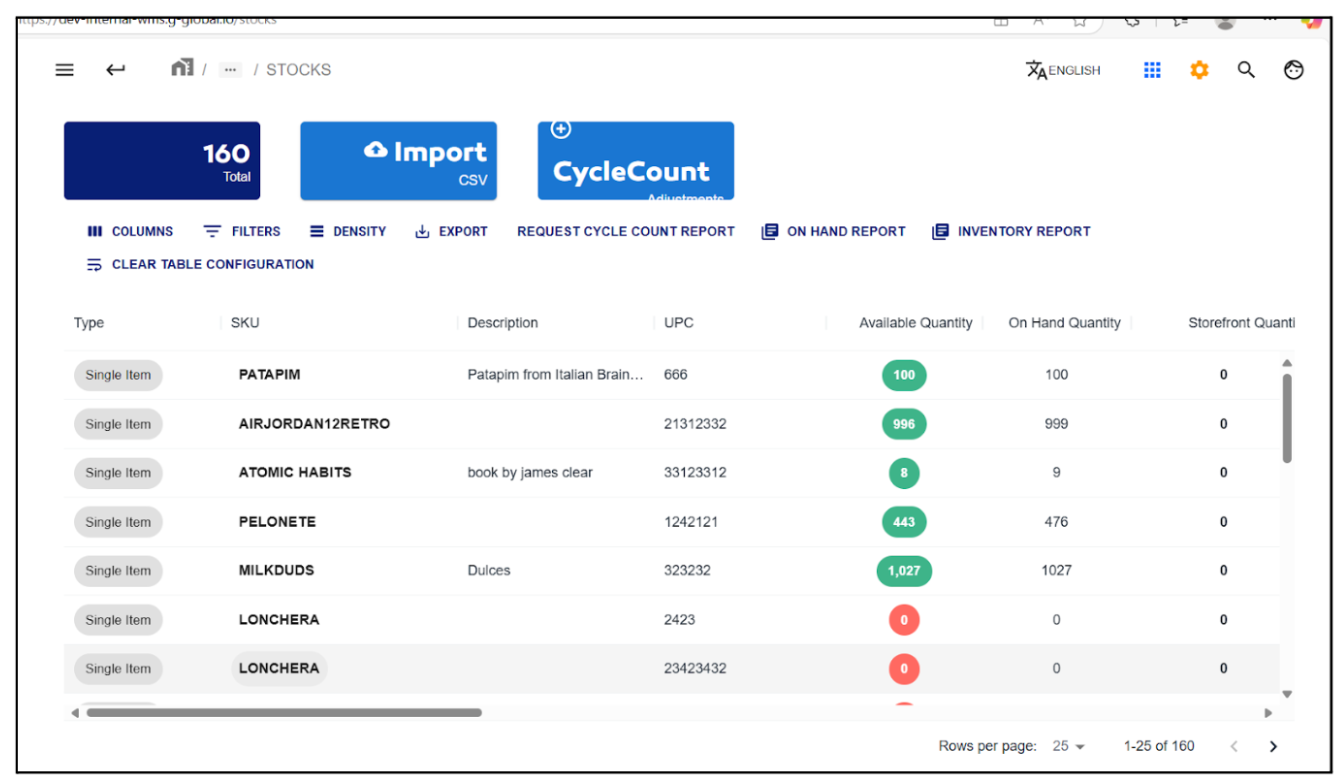
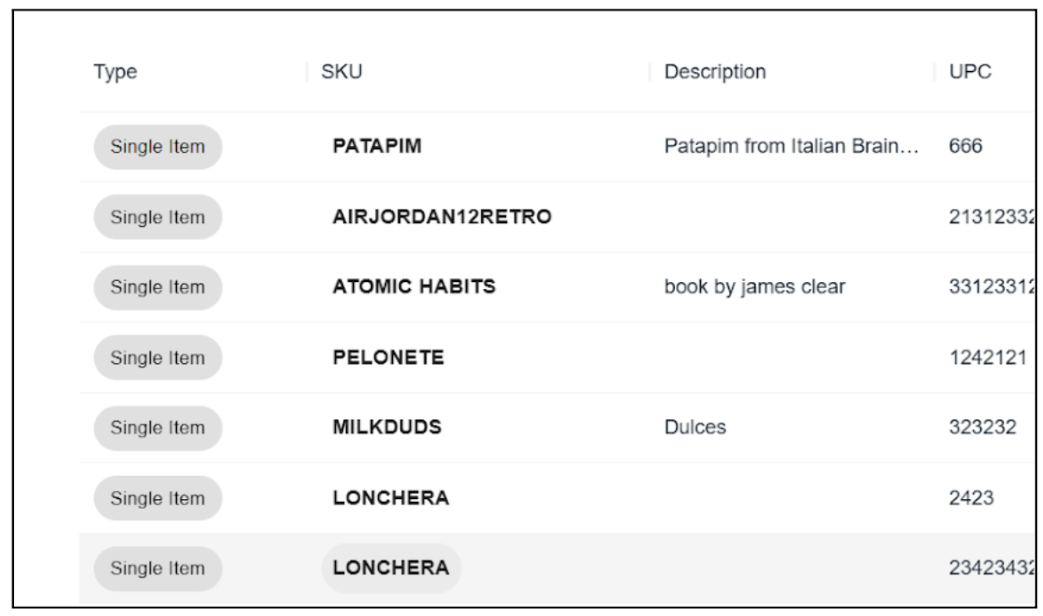
- The first four columns provide key information about each item:
- Type: Indicates if the product is a single item or a product kit
- SKU: The product's unique internal identifier
- Description: Brief product description for easy recognition
- UPC: Universal Product Code
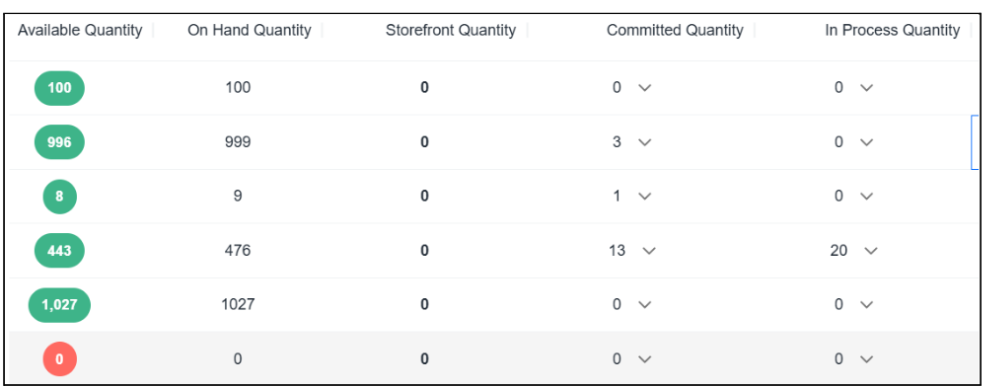
- The following columns show how total quantities are distributed across different system statuses:
- Available Quantity: Units available for use or sale
- On Hand Quantity: Total physical inventory including reserved/used units
- Storefront Quantity: Units specifically available for e-commerce or physical stores
- Commit Quantity: Units reserved for existing orders (not available for new sales)
- In Process Quantity: Units being prepared/packed but not yet shipped
note
- If a column shows an arrow next to the quantity, it means that quantity is linked to one or more orders
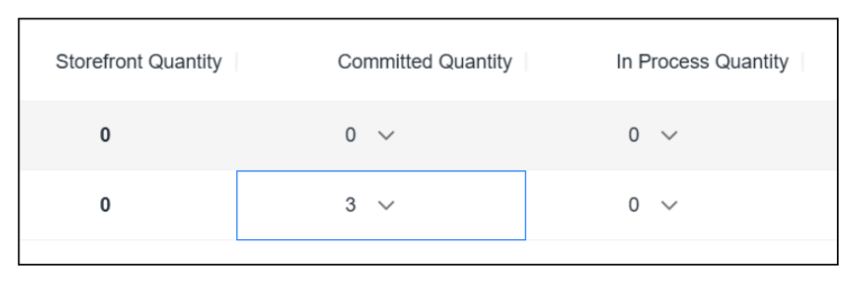
- Clicking the arrow icon displays a list of order references for that quantity
- This is particularly relevant for Committed and In Process quantities showing reserved/being prepared items
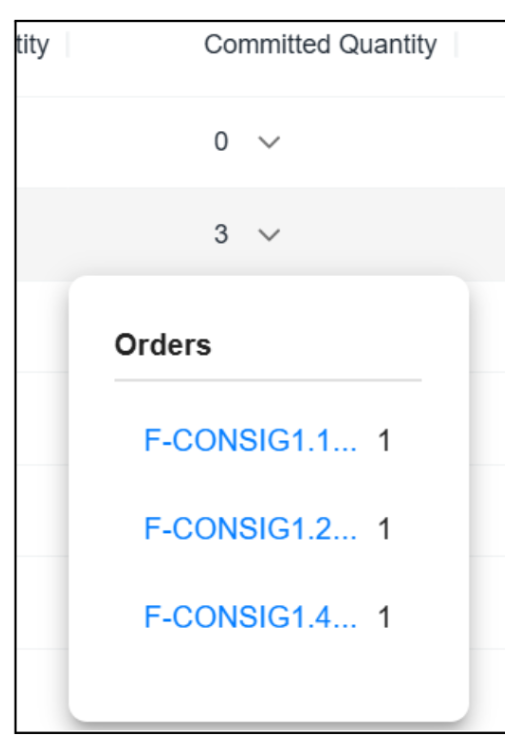
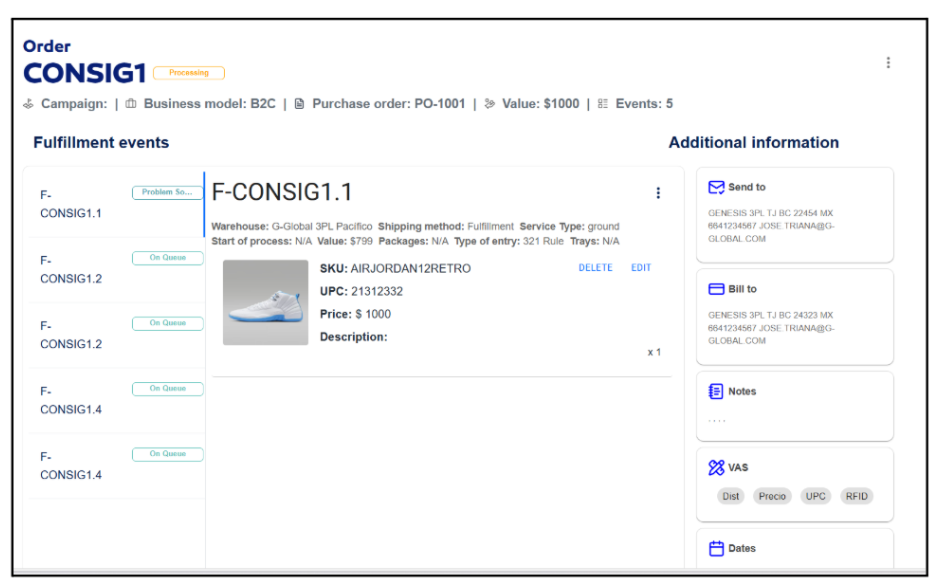
- Clicking an order in the list automatically redirects to the Order Monitor module to view all order details
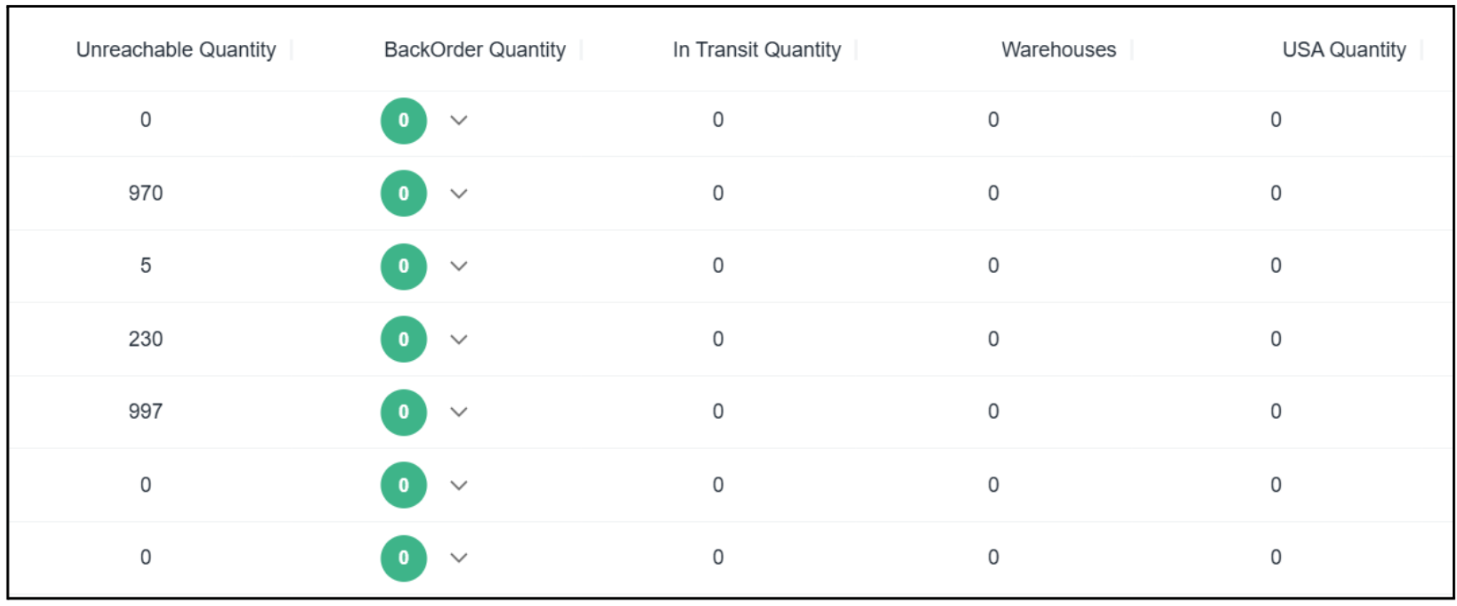
- These columns provide additional information about current item unit statuses:
- Unreachable Quantity: Units unavailable due to system errors, invalid locations, or logistical issues
- BackOrder Quantity: Units requested in orders but currently out of stock
- In Transit Quantity: Units moving between warehouses or being received
- Warehouses: Total items stored in distribution centers
- USA Quantity: Items specifically available in US warehouses
- Final columns detail specific item distribution by warehouse location or operational status:
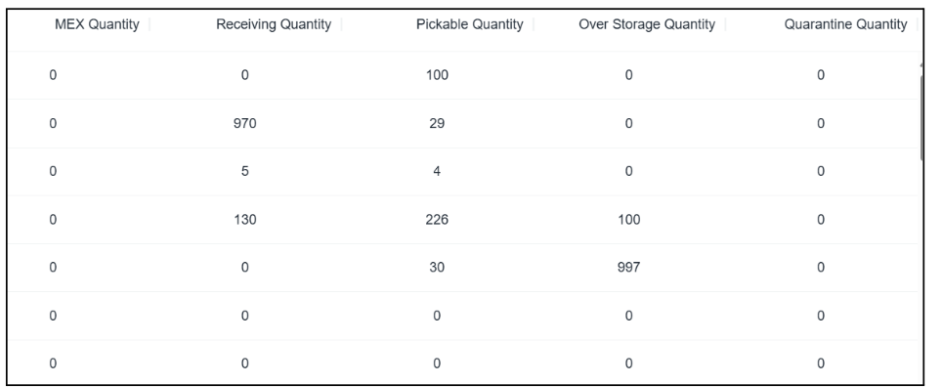
- Mex Quantity: Units in Mexican warehouses
- Receiving Quantity: Recently received units in receiving areas (not yet available)
- Pickable Quantity: Units ready for picking from designated locations
- Over Storage Quantity: Units in overflow storage locations
- Quarantine Quantity: Units temporarily quarantined for quality control or inspection
Check inventory details for a specific item in internal
- Double-click a product row in the main table
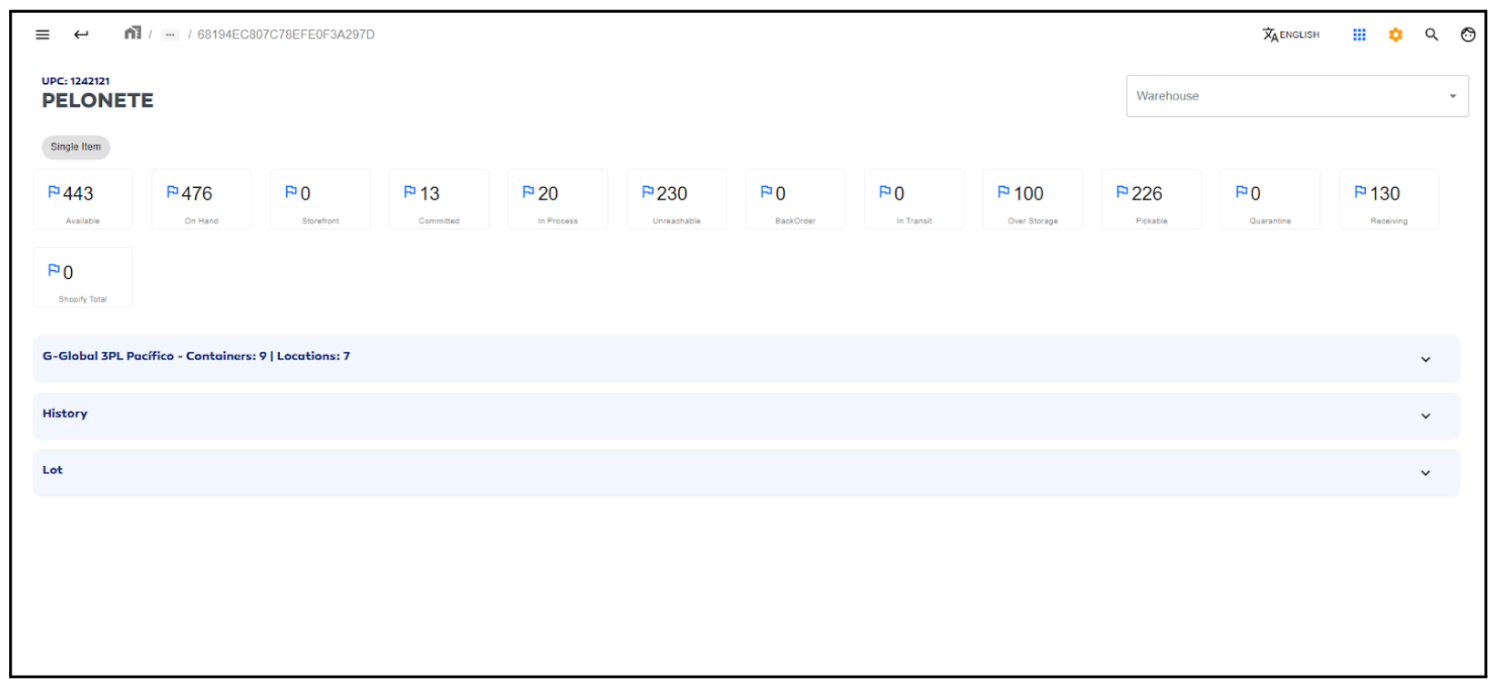
- The system redirects to a detailed stock view for that specific item
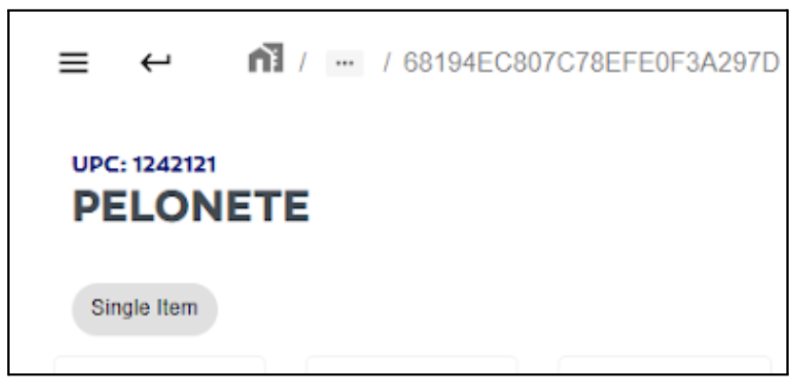
- The bottom section shows basic product information including:
- SKU
- UPC
- Item type (single product or kit)
- Information cards display how inventory is distributed by status:
- Available
- Committed
- In transit
- Quarantined
- etc.

The top section displays additional stock information:
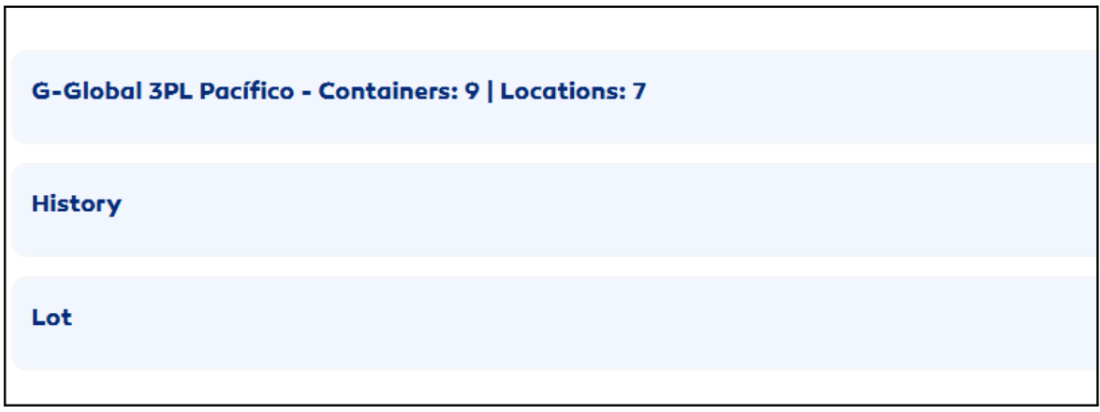
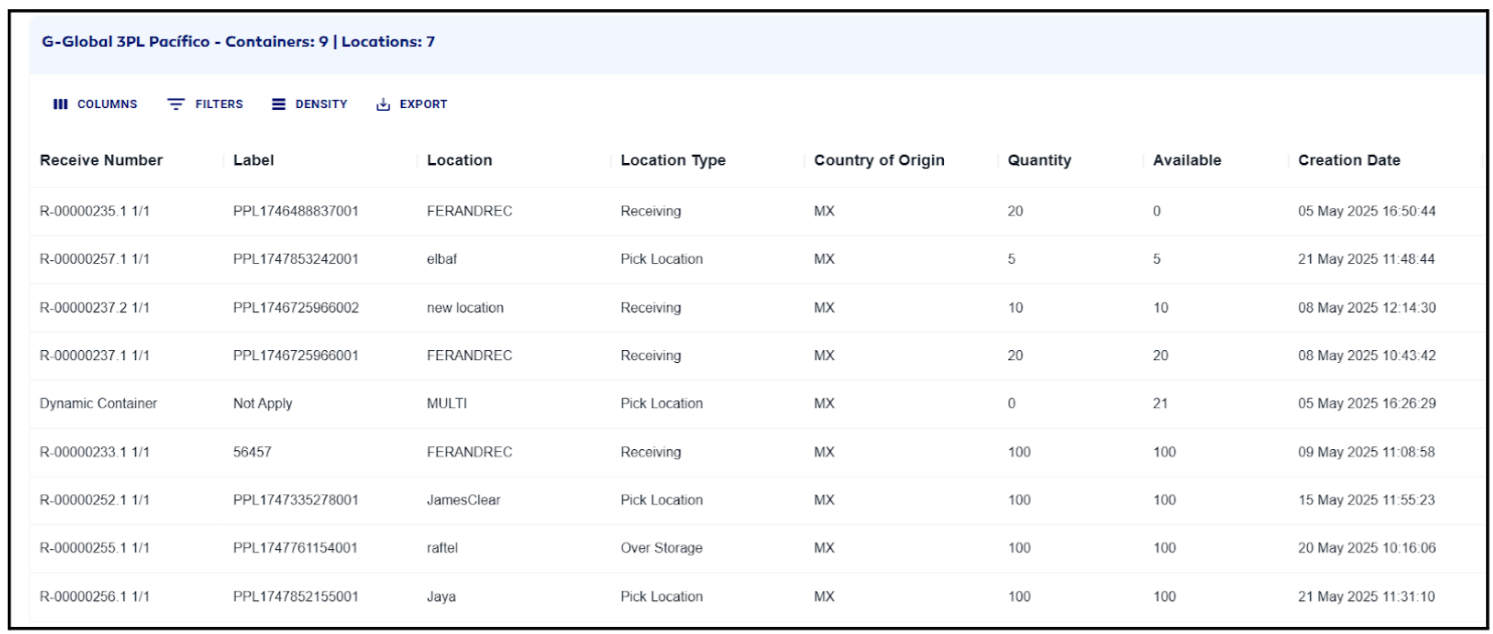
- Container quantities by location:
- Shows containers per storage location
- Details country of origin and item quantities per container
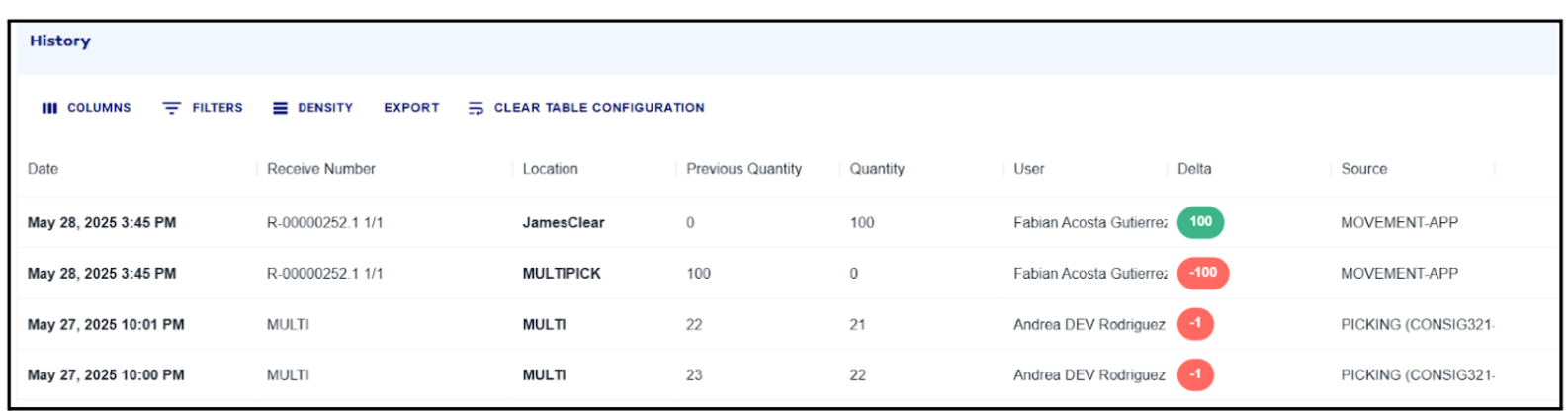
- Action history:
- Log of inventory events/actions
- Includes user who performed each operation
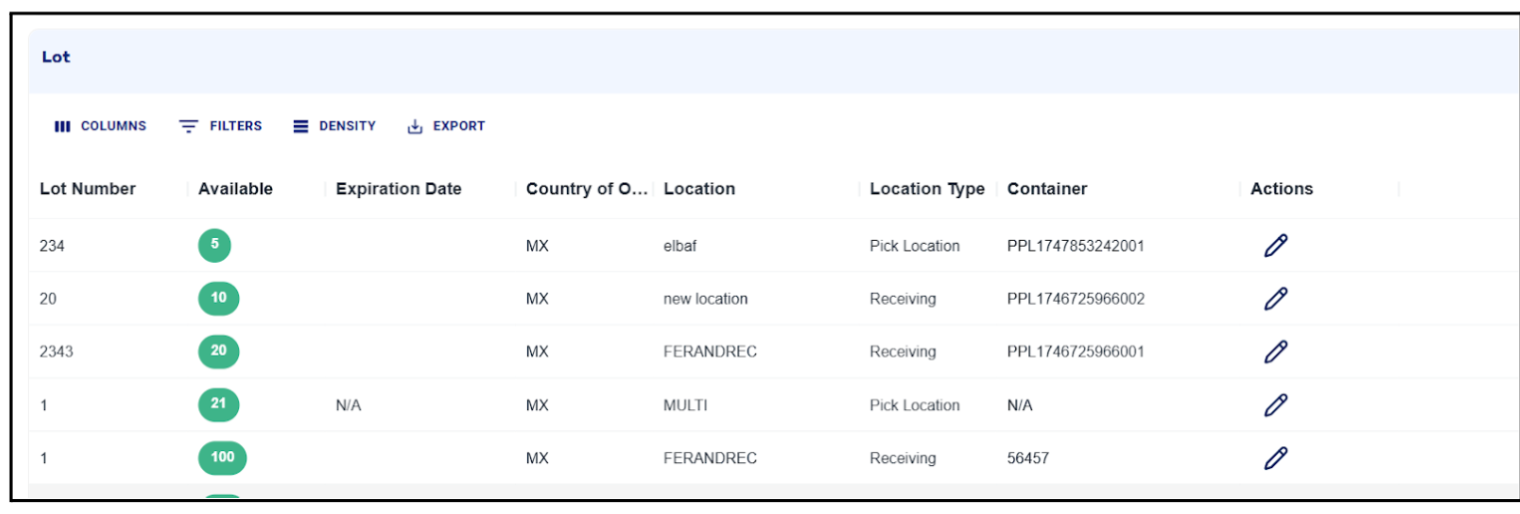
- Lot number organization:
- Available quantities organized by lot number
- Enables precise lot-based inventory control and traceability
- Finally, you can filter stock by warehouse using the options bar at the bottom of the view