Routing Guides
This module serves to establish required package dimensions according to campaign type, but primarily to provide instructions on how to pack products or handle them during packaging.
Module Useful View
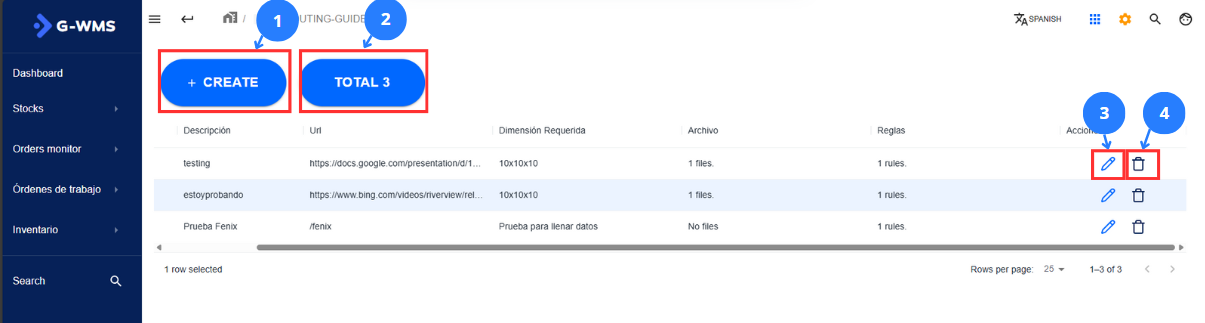
| No | Name | Description |
|---|---|---|
| 1 | Create New Guide Button | This button enables a form to create a new guide |
| 2 | Total Guides | This area shows the total count of guides created by the company |
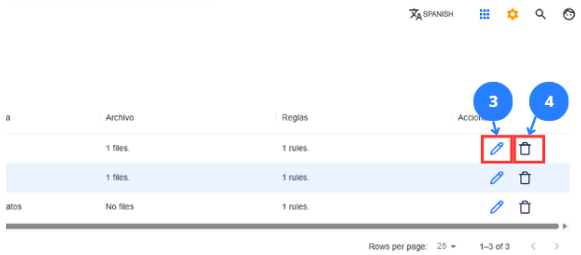
| 3 | Edit Button | This button re-enables the form to modify record information |
| 4 | Delete Guide Button | This button deletes a specific guide |
Create a Guide
Steps |
|---|
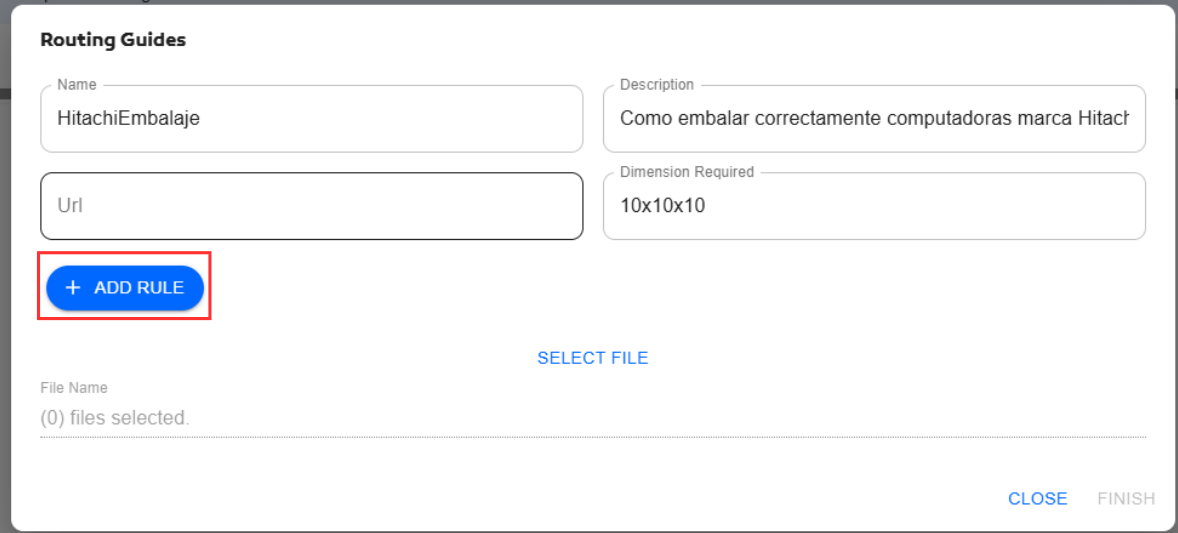
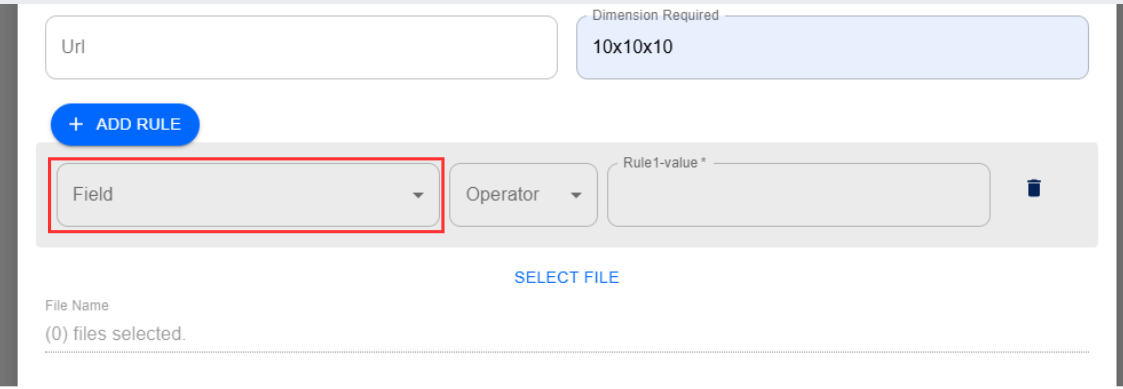
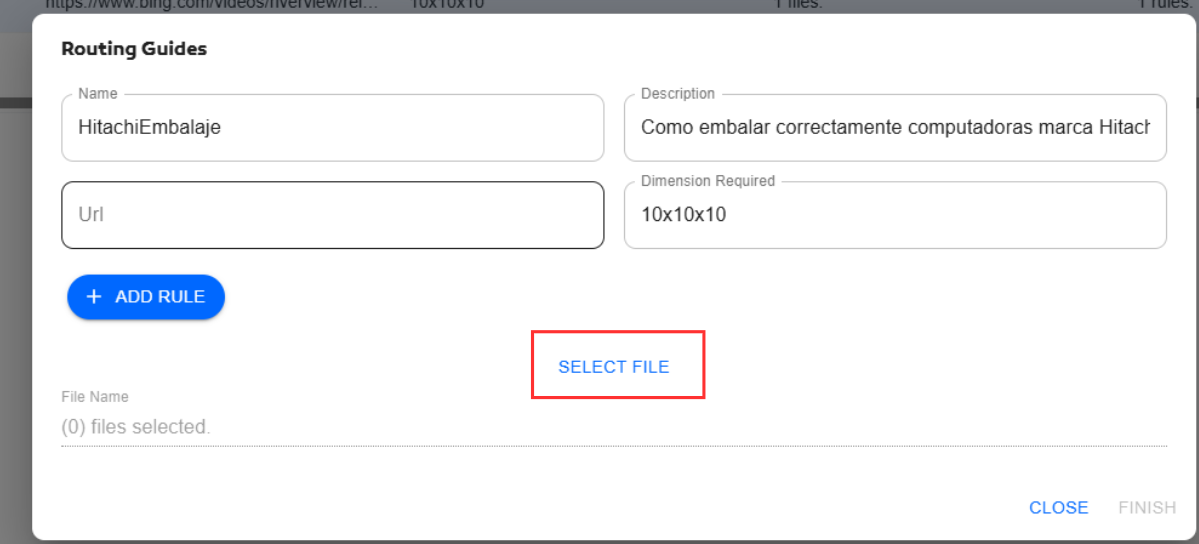
Click on 1 in the general interface to open a form. In this form enter data such as: guide name and description. Ignore the URL field. If specific package dimensions are required, you can set them (e.g., 10x10x10).
Next, click the blue button labeled ADD RULE to add rules. Rules consist of 3 factors: 1. Field where the rule is applied, 2. The operator indicating how to search for the keyword, 3. The keyword. Rules can also be deleted.
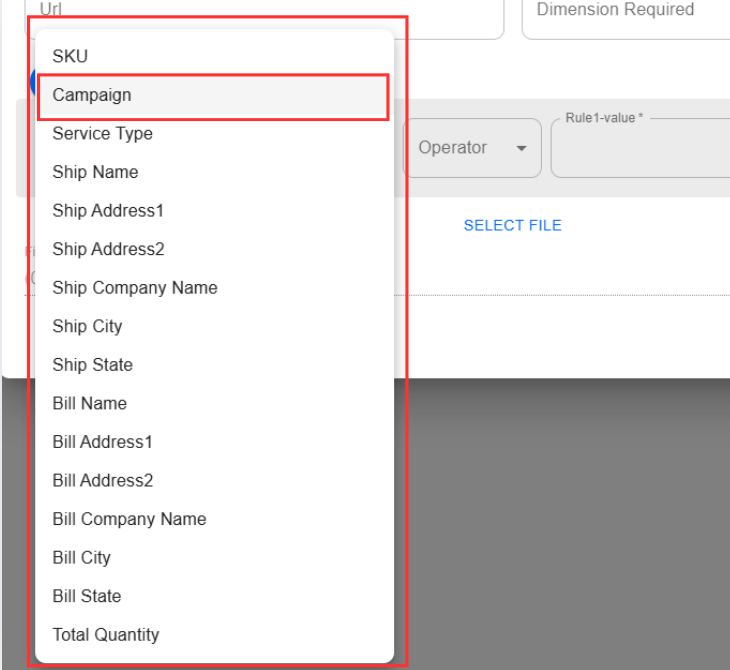
To understand how rules work, consider this example: A company called Hitachi is working with G-Global but wants special attention given to laptop packaging to ensure customer satisfaction. They need to provide packaging instructions to staff when using SLAM, specifically for certain product campaigns containing their computers. Here's how to solve this: First add the guide name and description as shown earlier, plus any required box/container dimensions. Then click the first field dropdown to see options:
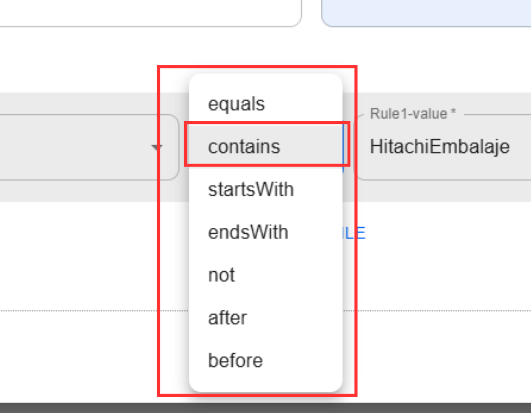
Since the client wants these guides applied to specific campaigns, select Campaign. Next is the operator for searching the keyword that triggers this guide. Select contains because the campaign name is LaptopHitachiEmbalaje (the campaign name contains the keyword).
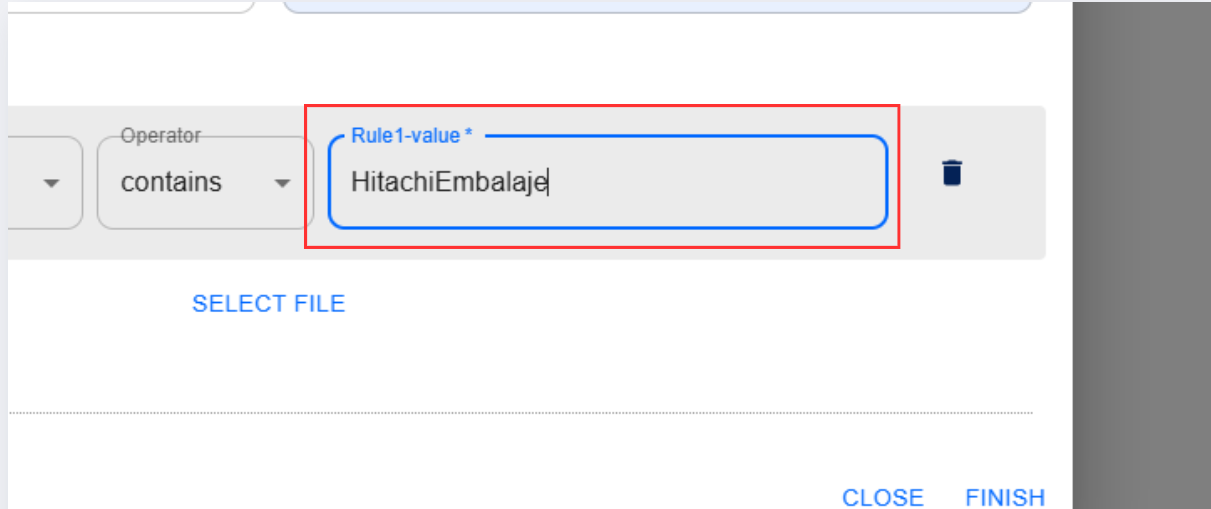
Finally, enter the keyword that must be contained in the campaign name to execute this guide. In this case: HitachiEmbalaje.
This creates one rule for a campaign. To apply to more campaigns, create additional rules, or use SKU as the indicator for specific products. The final step is to add the packaging guide (must be a PDF file - only PDF format is accepted). Add the guide as follows:
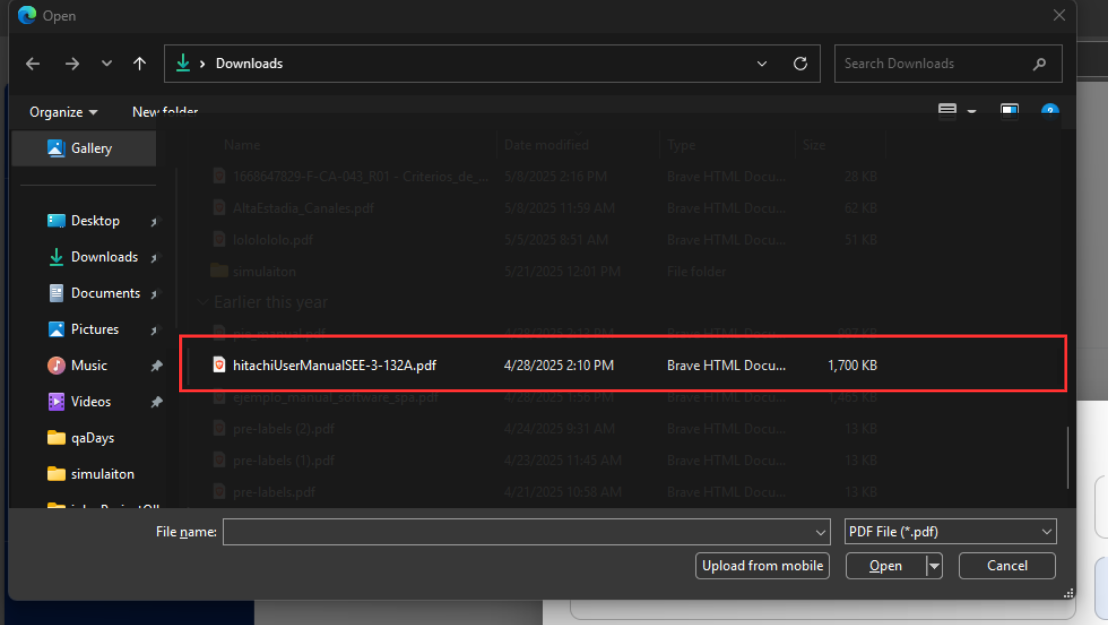
Click SELECT FILE to open a folder showing only .pdf files (the only accepted format).
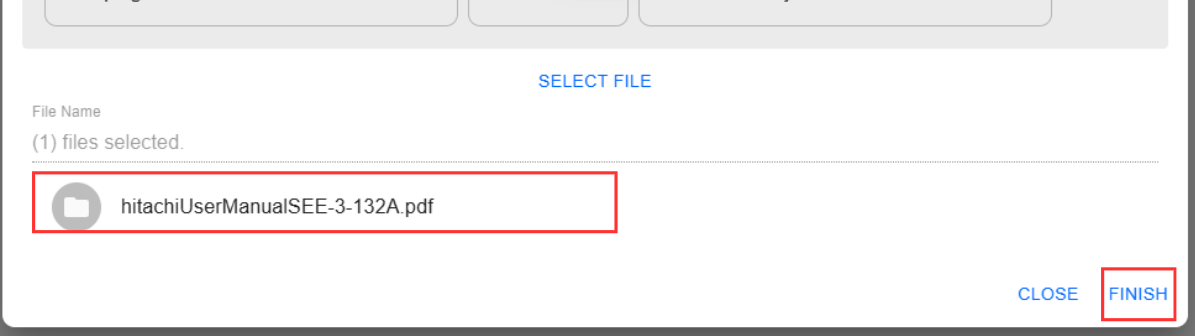
Select the packaging manual, then click open (or double-click). When the file is selected, it will appear like this:
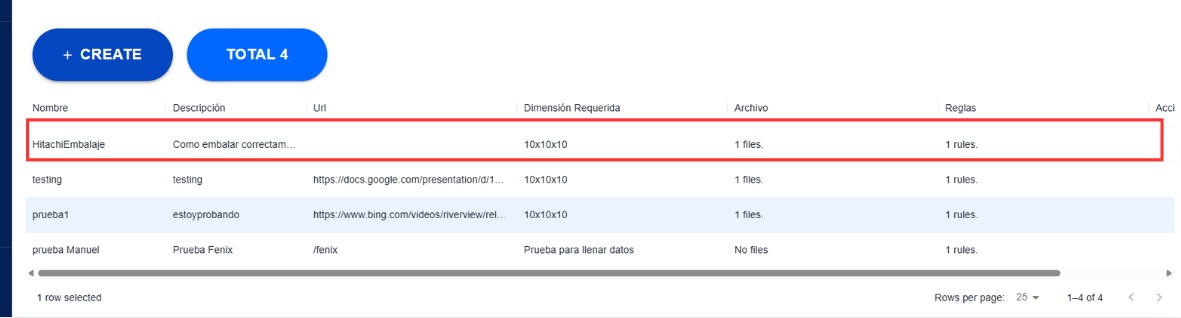
Finally, click finish to create the new guide.
|
Edit a Guide
Steps |
|---|
Click on 3 in the general interface to open the guide's edit form.
Editing a guide follows the same process as creating one, so refer to that tutorial. |
Delete a Guide
Steps |
|---|
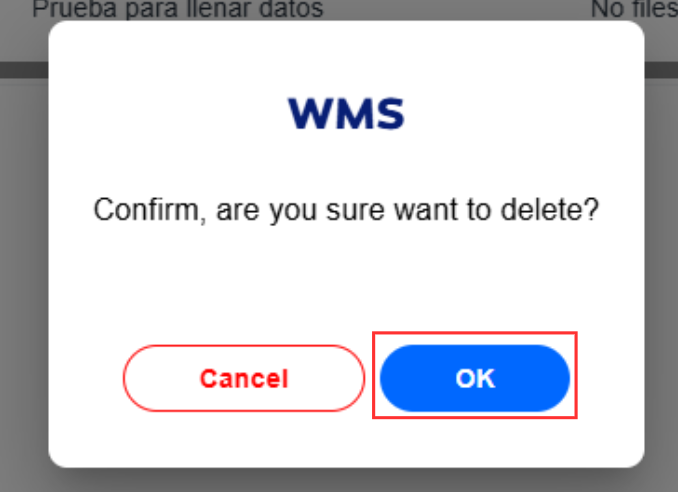
Click on 4 in the general interface to delete a guide. A confirmation box will appear - click OK to confirm deletion.
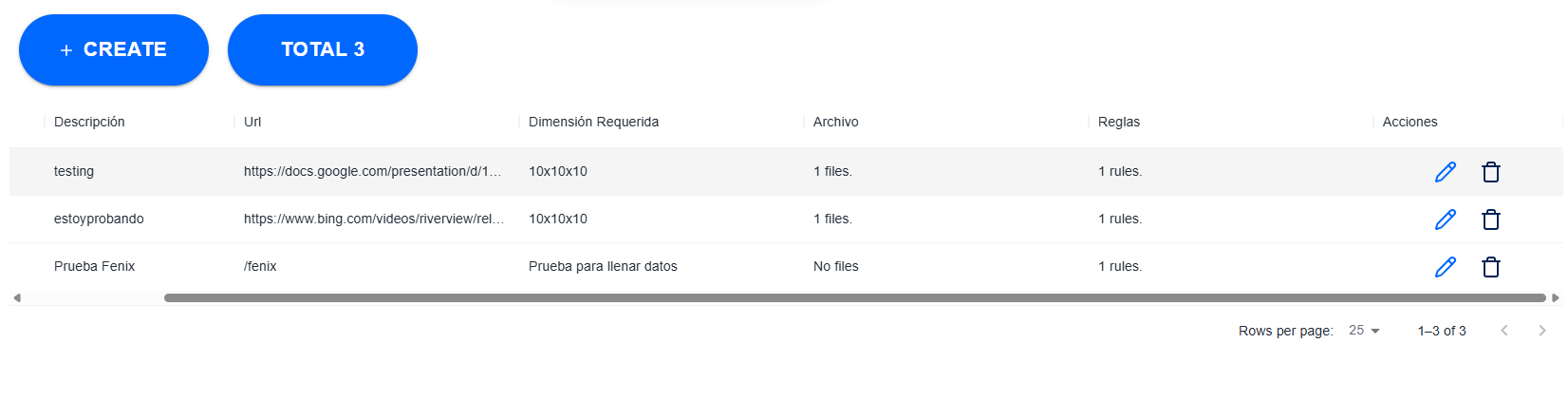
The guide will then be removed (note its absence from the table):
|